Mastering Vetster’s versatile prescribing tools on VetsterRx

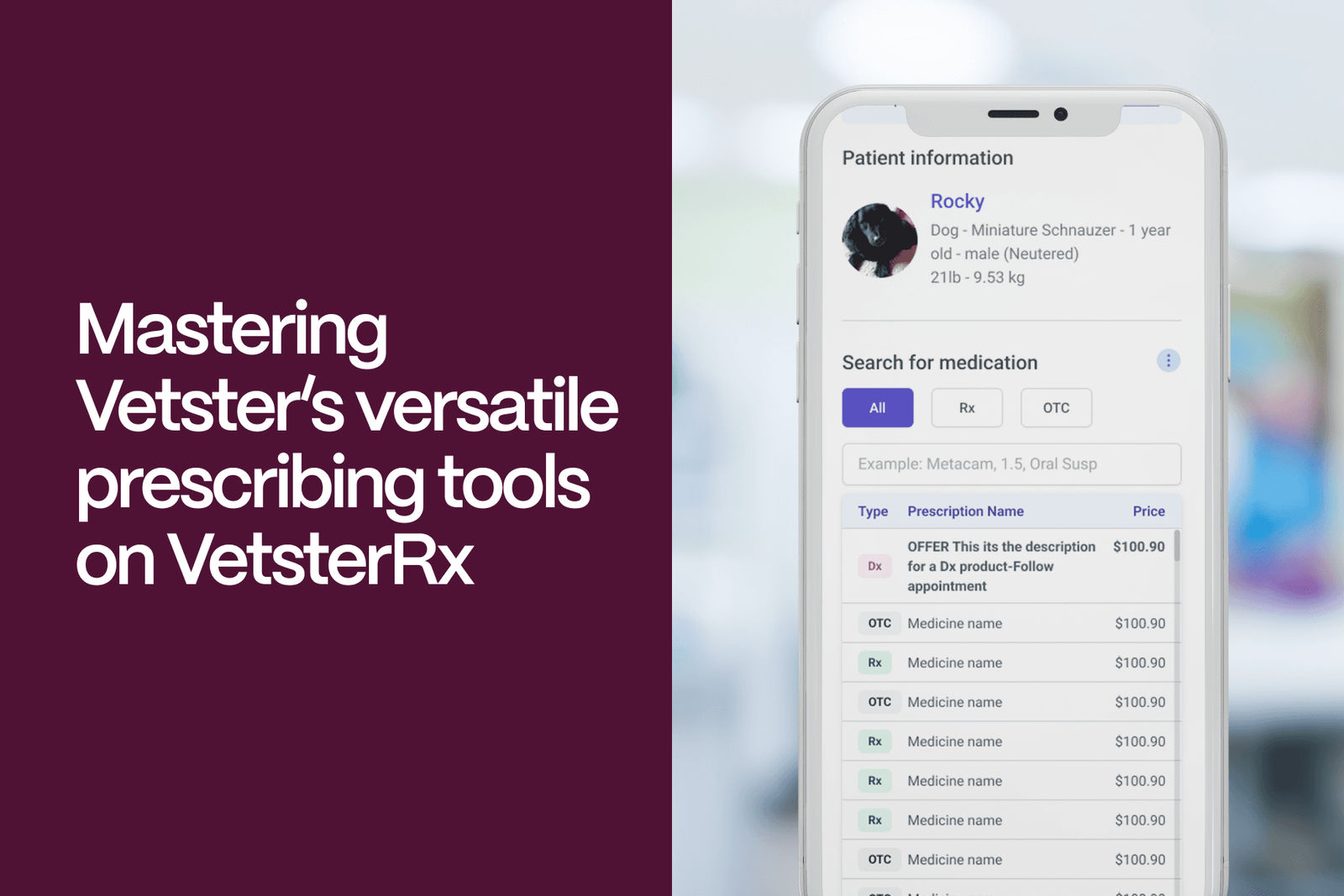
Prescribing medications is important for supporting the clients and pets you care for on Vetster, and VetsterRx is designed to make that process intuitive, efficient, and easy. Whether you’re treating an ear infection, managing osteoarthritis pain, or addressing anxiety, VetsterRx empowers you to make clinical decisions while Vetster handles fulfillment logistics — freeing you to focus on what matters the most: patient care.
"Dr. Berdan was wonderful!! She took plenty of time with me, explained the medication and treatment very well, and l left the appointment very happy! Meds were refilled and will ship right to my door which I love! I’ll definitely see this vet again!!" — Trudi C.
What is VetsterRx?
VetsterRx is the tool veterinarians use to input prescriptions and select medications, OTC products, and special diets for their clients. Powered by a robust search engine and a catalog of over 42,000 product options, VetsterRx supports a wide range of clinical needs. While VesterRx is your go-to tool for everything from amoxicillin to Zylkene, this article focuses on mastering Vetster’s versatile prescribing tools in VetsterRx so you can efficiently and confidently support your clients and patients with timely access to prescription medications.
Available on mobile browsers or desktop, VetsterRx allows you to quickly search for medications and select the strength, formulation, and quantity and enter the full prescription details. From there and when appropriate, Vetster handles the fulfillment logistics on your behalf.
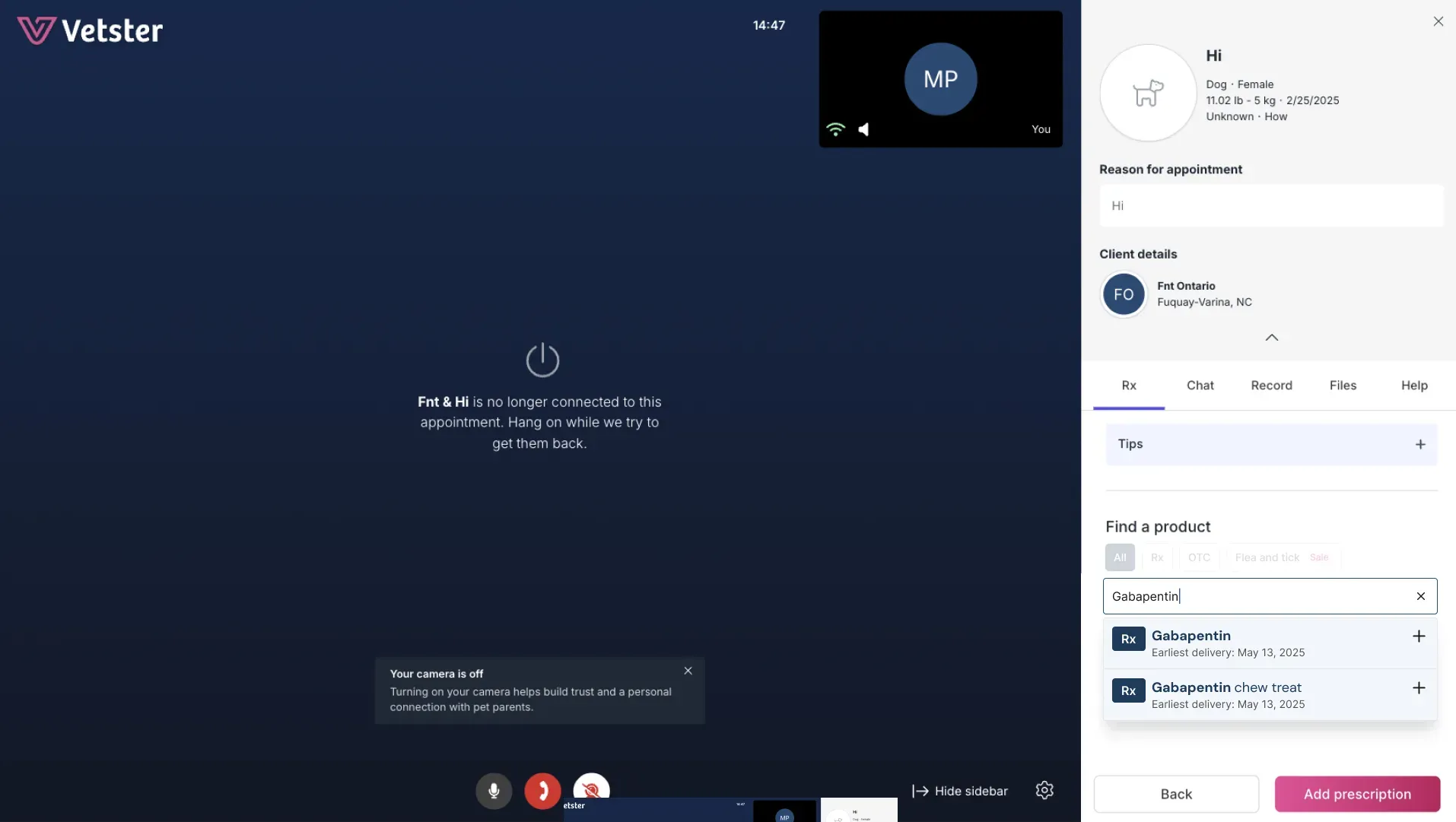
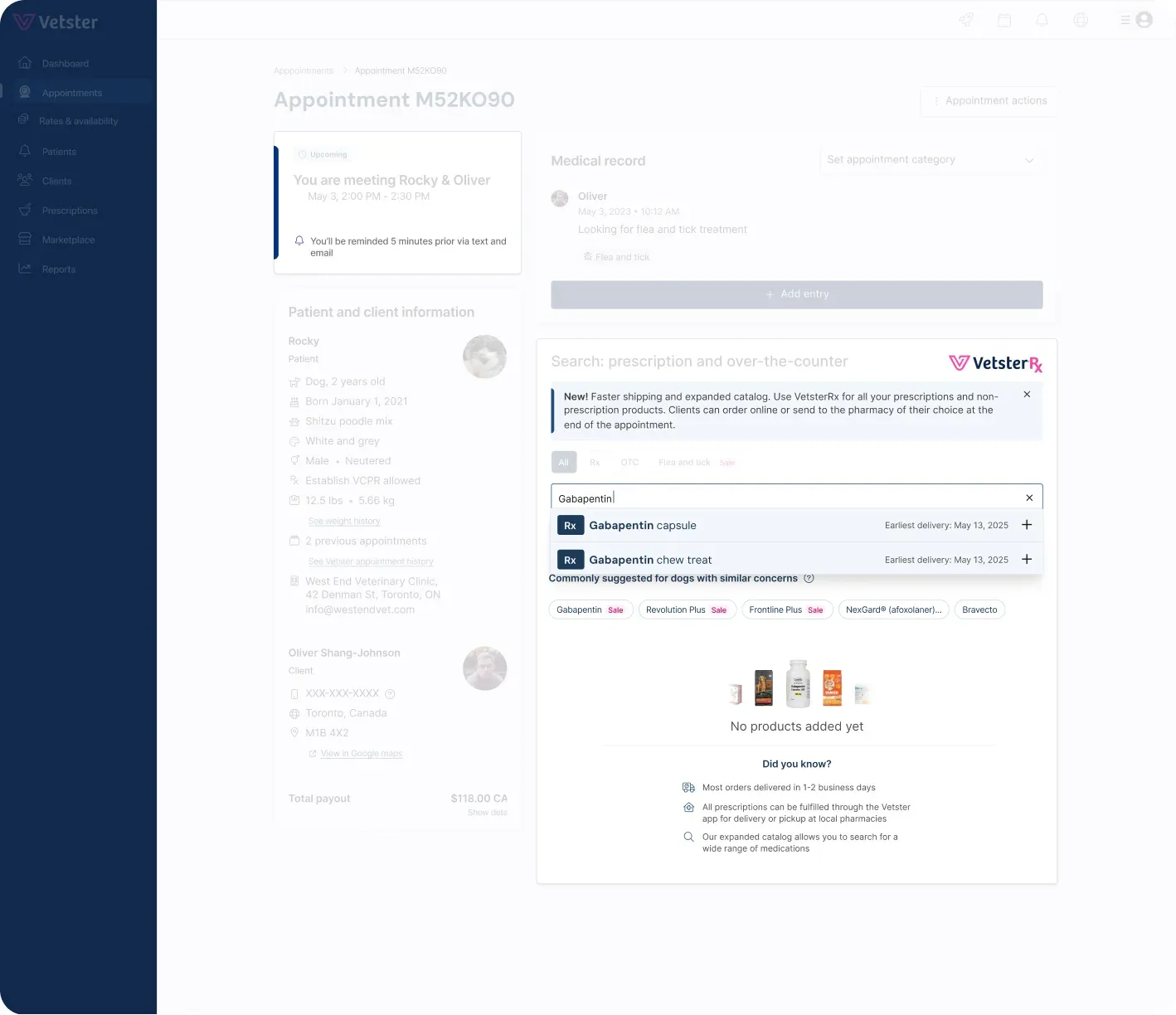
VetsterRx is found near the bottom of the appointment screen before, during, and after the appointment experience.
VetsterRx features and functionality by region
United States
In the US, smart product suggestions based on the client's chief complaint appear automatically, along with a search bar to find additional medications. To search:
-
If one of the suggestions is similar to what you’re looking for, click on the product suggestion itself to expand your search results, or
-
Type the name of the medication into the search bar.
-
Go through the search results to find and select the exact medication desired
-
Double check to ensure the strength, formulation, and quantity are correct by writing out the prescription into the medical record manually. Review the selections you have made in VetsterRx and verify that they match your written notes before submitting the prescription.
-
Follow the prompts to enter the rest of the required information.
For maximum efficiency, always start by selecting medications through the VetsterRx search function. If you can’t find what you need, you may enter prescriptions manually. Simply click to select manual entry and follow the prompts, ensuring you enter all the required information correctly so the pharmacy can get the medication to the client in a timely manner.
VetsterRx in the US provides clients with a transparent and flexible fulfillment experience. After you enter the prescription, clients are presented with clear information about their options. They can choose to order the medication online for convenient home delivery or request that the prescription be sent to their preferred local pharmacy. Clients also have full visibility into shipping costs and estimated delivery timelines, helping them make informed choices based on convenience and urgency.
Once the client makes their selection, Vetster takes it from there, coordinating directly with the appropriate pharmacy to ensure fulfillment when needed. Local pharmacies may occasionally reach out to you directly if they require clarification on a prescription, but in general, Vetster handles the rest behind the scenes, so you can focus on clinical care.
In all cases, whether using the integrated search tools or entering information manually, your role as the veterinarian is to explain to the client what to expect and what their next steps are. That might include entering the preferred pharmacy, ordering online, or taking your OTC recommendations to a local pet superstore for in-person shopping.
Canada
In Canada, all prescriptions are manually entered into VetsterRx. Unlike the US experience, the Canadian version of VetsterRx does not include an integrated product search or online ordering for home delivery at this time. However, it still offers significant value by providing a streamlined, integrated process for entering prescription details, streamlining fulfillment, and maintaining accurate medical records.
Once the prescription is entered and the client selects their preferred pharmacy, Vetster’s support team faxes the prescription to that location on your behalf. Most commonly prescribed medications can be filled at local human pharmacies such as Shoppers Drug Mart or Rexall, as well as through compounding pharmacies or online pet pharmacies, depending on the client’s needs.
Even without built-in online ordering functionality, VetsterRx in Canada ensures prescriptions are handled efficiently and documented properly. The Vetster Customer Experience team is available to support both veterinarians and clients with pharmacy coordination and follow-up 7 days a week, 7AM – 11PM Eastern Time, helping to reduce your administrative workload and provide a smooth fulfillment process.
United Kingdom
In the UK, veterinarians manually enter prescriptions into VetsterRx. After entering the necessary details, inform the client how the prescription will be fulfilled. This may involve contacting a local clinic, pet pharmacy, or human pharmacy on their behalf. It is important to document your fulfillment plan clearly in the Plan section of the DAP medical record to support continuity of care and ensure clear communication. Although the process is less automated compared to other regions, VetsterRx in the UK offers a consistent and professional way to record and share your prescribing decisions.
Best practices for prescribing within VetsterRx
Double check for accuracy and completeness
Before submitting, double check that all required fields are complete, accurate, and appropriate for the patient’s needs. Your attention to detail helps minimize delays and reduces the need for follow-up questions from the pharmacy. If you're prescribing anything out of the ordinary — such as a compounded medication, an extra-label use, or a drug with special handling instructions — be sure to include clear, concise notes to the pharmacist. These notes are essential for ensuring safe, efficient dispensing and timely delivery of medications to your client and patient.
Use estimated delivery dates to guide decisions (US)
Estimated delivery dates are shown for integrated online ordering in the US. Take note of these when considering how urgently your patient needs the medication. While these dates are helpful for planning, they are only estimates and may vary based on factors like product availability, location, and shipping speed. Encourage clients to place their order as soon as possible to maximize the likelihood of receiving the medication by the earliest projected delivery date.
Do I need a VCPR to use VetsterRx?
Using the VetsterRx tool to connect a client with an over-the-counter (OTC) product does not constitute prescribing and does not require a valid VCPR. This includes products such as maintenance diets, therapeutic diets, supplements, and other non-prescription pet care items.
During a consultation with a non-VCPR client, you may provide general information about OTC options, and VetsterRx can be used to support seamless ordering. This ensures clients receive the correct product with minimal confusion while benefiting from the convenience of online ordering and home delivery.
Boost compliance with compounded medications (US)
The search functionality within VetsterRx for US veterinarians includes access to a broad selection of commercially available and compounded medications, offering flexible options to meet individual patient needs. Compounded medications can improve compliance because it makes administration easier by offering alternative flavors, modes of administration, or concentrations.
When prescribing a compounded product, always select a reason from the drop-down menu provided in VetsterRx. Providing your reasoning and any additional context up front minimizes back-and-forth with the pharmacy, supports timely dispensing, and helps with regulatory compliance. As always, ensure your prescribing decisions comply with all applicable laws, rules, and regulations in your licensing jurisdiction.
Set clients up for success
In all regions and with all fulfillment methods, be sure to explain what clients can expect and what their next steps are as you conclude the appointment. In the US, online ordering is generally the most efficient option for routine or non-urgent needs. However, in all locations, fulfillment through a local pharmacy is typically the fastest choice when a pet needs medication urgently.
For time-sensitive situations outside of our support hours, when our team isn’t available to fax the prescription, you may need to contact the pharmacy directly. Alternatively, consider whether in-person care may be more appropriate, especially if the pet’s condition is severe or requires immediate treatment. Your clinical judgment is essential in ensuring each pet receives timely and appropriate care.
Always use VetsterRx for prescription details
No matter where you’re located, always use VetsterRx to enter prescription details. While information entered into the Plan section of the DAP medical record is shared with the client, any prescription information entered there does not trigger the fulfillment workflow. Entering prescriptions directly into VetsterRx is critical for ensuring clients receive the appropriate medication without delay.
Learn more with these additional resources:
Looking to join Vetster?
You may create an account as a veterinary professional, or learn more here about becoming an online vet.