What is VetsterRxⓇ and how do I use it?


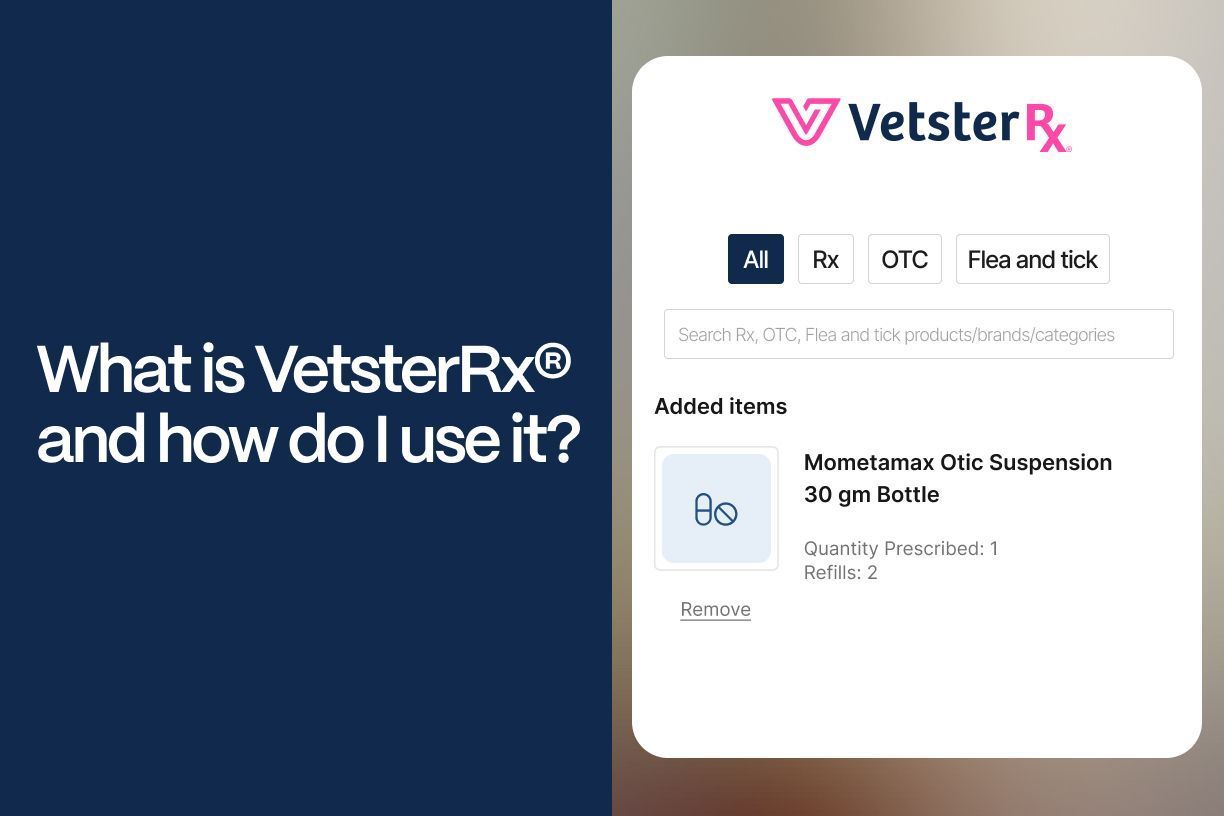
In virtual practice, connecting pet owners with the right products — whether it’s prescription medication, therapeutic diets, or over-the-counter pet care items — is a critical part of delivering high-quality care. VetsterRx® is the tool veterinarians use to do just that.
VetsterRx is part of the medical record on the Vetster platform. It’s where veterinarians document all prescriptions and product recommendations made during an appointment. In addition to creating a record, VetsterRx also helps clients access what they need, whether that’s through the integrated online catalog or by coordinating with a pharmacy or pet care retailer of their choice.
Let’s take a look at how it works.
What is VetsterRx?
VetsterRx is the dedicated section of the Vetster platform for entering:
- Prescription medications
- Over-the-counter (OTC) items
- Supplements
- Therapeutic and maintenance diets
- Other pet care products
This tool is available for all veterinarians on the platform, regardless of your location or whether you’re operating with or without a VCPR. Entries made in VetsterRx become part of the permanent medical record, ensuring continuity of care and improving client compliance. Watch this video for a short demonstration.
Why use VetsterRx instead of the plan section of the DAP medical records template?
Prescriptions and product recommendations should always be documented in VetsterRx. This distinction is important for both compliance and client experience.
- Only entries in VetsterRx are used to facilitate fulfillment. For US veterinarians, using the integrated search feature is the only way to make prescription and non-prescription product recommendations available for online ordering and home delivery directly through the app — a convenience that many clients expect in virtual care.
- VetsterRx entries are automatically added to the medical record, ensuring clarity, continuity, and easy access for both you and your clients.
- Using VetsterRx ensures proper follow-up and coordination with pharmacies. For manually entered prescriptions, Vetster’s support team follows up with the client to confirm fulfillment details and submit the prescription.
- There are also opportunities to increase your earnings when clients purchase products through VetsterRx using in-app ordering.
By using VetsterRx as your central tool for prescriptions and product recommendations, you streamline your workflow, improve client compliance, and create a more seamless virtual care experience — all while contributing to better patient outcomes.
How does VetsterRx support fulfillment?
Fulfillment methods vary depending on your location and whether you use the integrated search tools or manual entry. Here's a breakdown by region:
United States
There are two ways to use VetsterRx if you practice in the US:
-
Integrated Search Tool
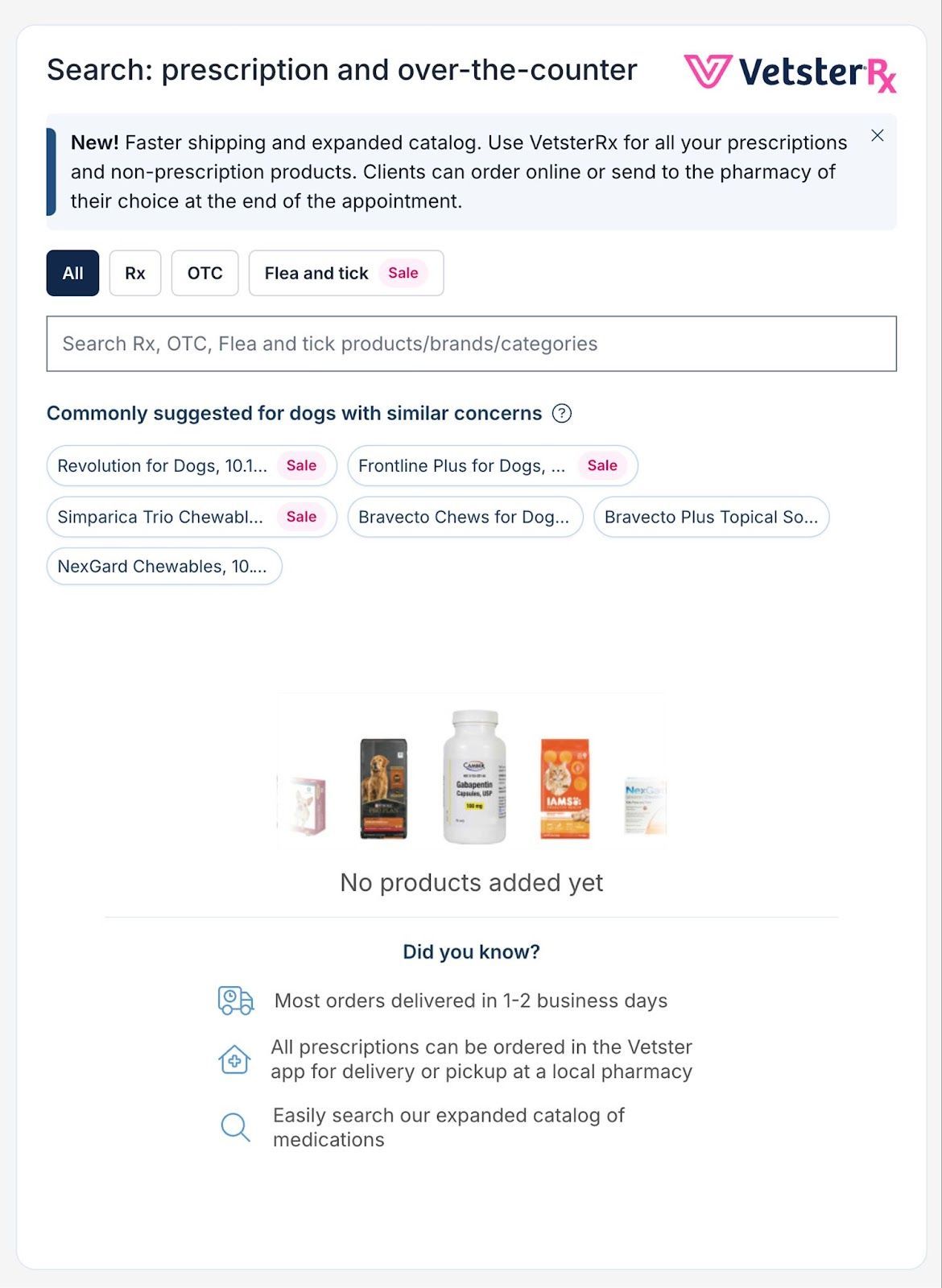
Use the searchable catalog to select from a wide range of products, including prescription medications, OTC items, compounded medications, and diets. This is the easiest way to enter a prescription or recommendation, and the only pathway to in-app ordering and home delivery for your clients. You may enter products before, during, or after the appointment, then Vetster facilitates fulfillment with the client’s preferred pharmacy and clients receive instructions for payment and delivery options.
-
Manual Entry
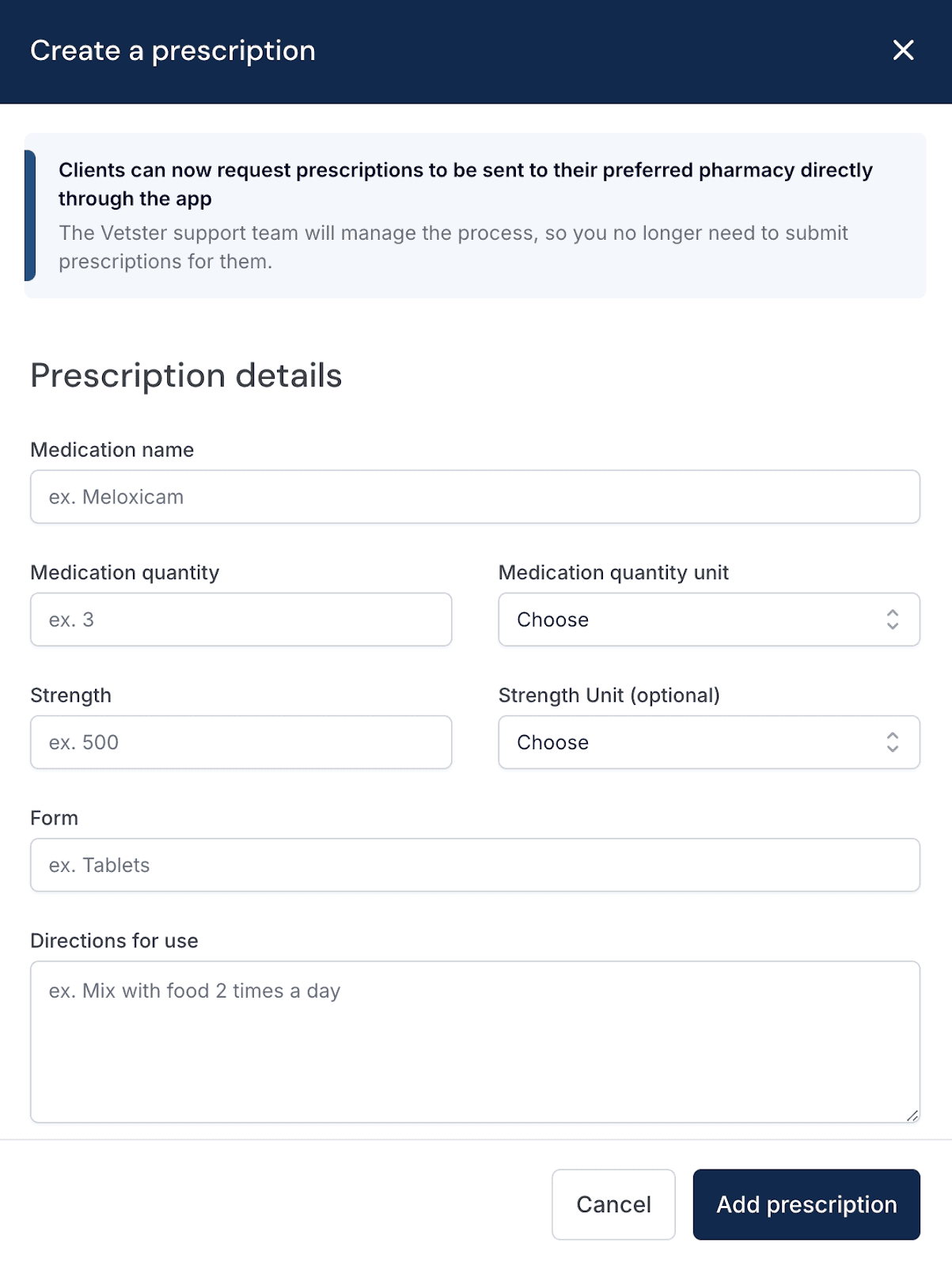
- This method allows you to document any prescription or product recommendation.
- For prescription medications, Vetster’s support team contacts the client to confirm their preferred pharmacy and coordinate fulfillment.
- For therapeutic diets, Vetster’s CE team works with the client to support fulfillment.
- For OTC items, including supplements, and maintenance diets, manual entry into VetsterRx ensures your recommendation is saved in the medical record for future reference. Although items entered manually aren’t eligible for in-app ordering or home delivery, recording them here gives your clients a clear, accessible guide to follow when shopping at the retailer of their choice.
By using manual entry, you can provide personalized, flexible recommendations — preserving your clinical intent while giving clients the freedom to choose how and where they purchase non-prescription products.
Canada
Only manual entry is available in Canada.
- Begin by entering the product details and instructions.
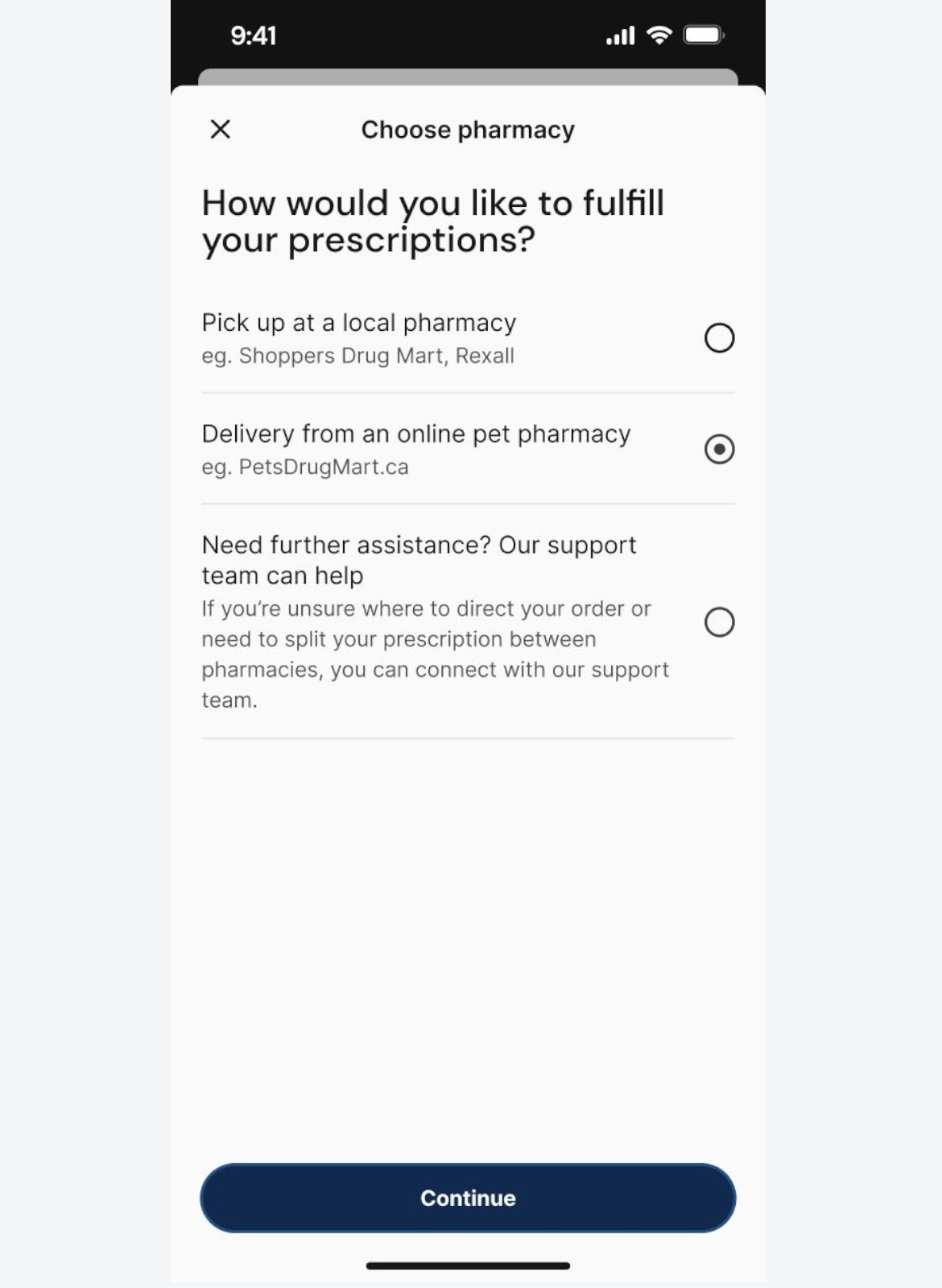
- The client is asked to choose a pharmacy.
- When appropriate, Vetster’s support team handles coordination, ensuring smooth follow-up and fulfillment.
Let clients know they have a few additional steps to complete in the Vetster app, and reassure them the process is simple and intuitive — they see a screen like the one shown below. Share this link to guide them through the next steps.
What kinds of products can I recommend?
VetsterRx isn’t just for prescriptions. You can also use it to recommend:
- Joint health supplements
- Dental care products
- Parasite preventives
- Nutritional support
- Behavioral aids
- Enrichment tools
- …and more!
Making these recommendations in VetsterRx not only helps your clients take action, but it also ensures they remain part of the medical record for future reference.
How does VetsterRx improve the client experience?
VetsterRx makes in-app fulfillment easy for pet owners. Depending on their location and situation, they can order online or enter their preferred pharmacy. Throughout the process, they have transparency on options and prices. Using VetsterRx creates a better experience for both you and your clients by:
- Improving clarity – clients receive consistent, actionable guidance
- Streamlining fulfillment – no need to repeat product details
- Reinforcing compliance – recommendations stay visible in the medical record
- Supporting outcomes – the right products are easy to access and use
Summary: VetsterRx at a glance
| Feature | Benefit |
|---|---|
| Integrated with records | Ensures continuity of care and compliance |
| Supports all product types | Offers a range of products, from prescription medications to treats |
| Fulfillment flexibility | Includes options for in-home delivery or local pickup |
| Simple to use | Saves time and improves accuracy |
| Support | Automates fulfillment options when available |
VetsterRx is a powerful tool that helps veterinarians deliver efficient, personalized, and actionable virtual care. Whether you’re recommending a prescription treatment, a specialized diet, or a calming pheromone spray, VetsterRx connects your guidance with the tools clients need to support their pet’s health.